Building Kaze: A Zero-RAM, Peer-to-Peer CLI for Sharing Massive Folders
How I built Kaze, an open-source, peer-to-peer CLI file sharing tool built in Node.js that streams massive folders directly from my hard drive to yours.

The standard workflow is painful: you zip the folder, upload it to Google Drive or Dropbox, wait hours for the upload to finish, generate a link, and then your friend waits hours to download it. You've essentially just doubled the transfer time because the file had to rest on a cloud server in the middle.
I wanted a better way. I wanted to stream files directly from my hard drive to theirs over the internet, instantly, without worrying about firewalls, port forwarding, or memory crashes.
So, I built Kaze(Japanese for "wind") — an open-source, peer-to-peer CLI file sharing tool built in Node.js.
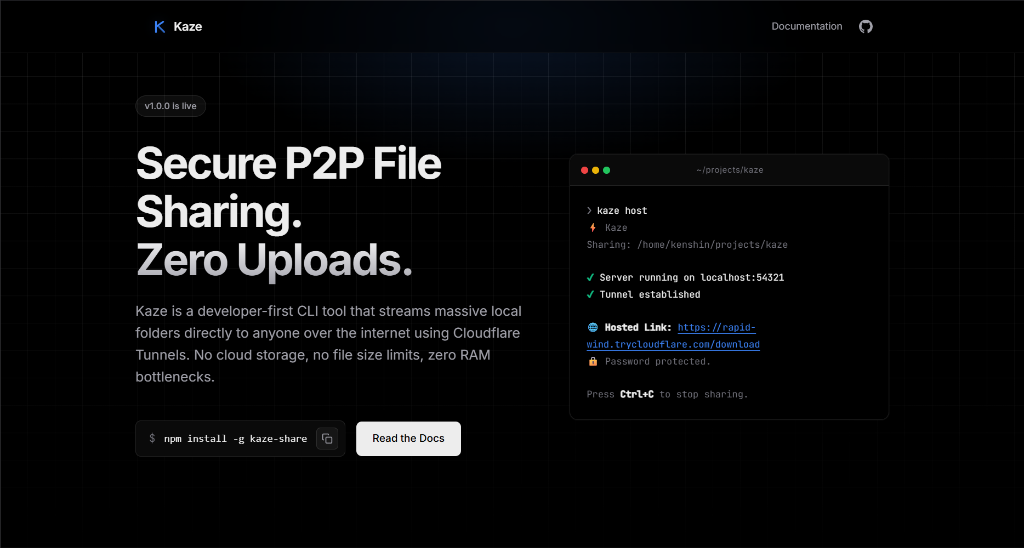
Here is a deep dive into the architecture and how I solved the three biggest challenges: Memory, Networking, and Security.
Challenge 1: The "Zero-RAM" Streaming Engine
If you are transferring a massive folder, you absolutely cannot buffer that data into memory before sending it. Doing so would immediately crash a standard Node.js process (which typically limits heap size to ~1.4GB) or bring your operating system to a crawl.
To solve this, Kaze uses true streams. Instead of zipping the folder beforehand, Kaze uses a library called tar-fs to dynamically pack the directory into a .tar archive on the fly and pipe it directly into the HTTP response stream.
Here is the core logic from src/utils/tar.js:
import tar from 'tar-fs';
import fs from 'fs';
import path from 'path';

/**
 * Packs a directory into a tar stream and pipes it to the HTTP response.
 * This ensures virtually zero RAM is consumed, regardless of folder size.
 */
export function streamDirectory(dirPath, response) {
    if (!fs.existsSync(dirPath)) {
        throw new Error(`Directory does not exist: ${dirPath}`);
    }
    // tar.pack reads files piece-by-piece and pipes them directly to the receiver
    const pack = tar.pack(dirPath);
    pack.pipe(response);
    return new Promise((resolve, reject) => {
        response.on('finish', resolve);
        pack.on('error', reject);
    });
}
Challenge 2: Bypassing Firewalls with Cloudflare Tunnels
Peer-to-peer connections are notoriously difficult because most laptops sit behind a NAT (Network Address Translation) and a router firewall. You can't just tell your friend to connect to http://your-ip-address:3000 — the router will block it.
Instead of messing with UPnP or port-forwarding, Kaze leverages Cloudflare Tunnels (cloudflared).
When you run kaze host, the CLI spawns a local Express server. Immediately after, it spawns a cloudflaredchild process that connects outbound to Cloudflare's edge network. Cloudflare then assigns you a random, publicly accessible URL.
Because the connection was initiated outbound from your machine, your firewall allows it. Here is how Kaze orchestrates that background process in src/utils/tunnel.js:
import { spawn } from 'child_process';

export function startTunnel(port) {
    return new Promise((resolve, reject) => {
        // Spawn the cloudflared daemon as a child process
        const tunnelProcess = spawn('cloudflared', ['tunnel', '--url', `http://localhost:${port}`]);

        let url = null;
        // cloudflared outputs the generated URL to stderr, not stdout
        tunnelProcess.stderr.on('data', (data) => {
            const output = data.toString();
            const match = output.match(/https://[a-zA-Z0-9-]+.trycloudflare.com/);

            if (match && !url) {
                url = match[0];
                resolve({ url, process: tunnelProcess });
            }
        });
        tunnelProcess.on('error', (err) => reject(err));
    });
}
This also provides an incredible bonus: End-to-End SSL/TLS Encryption. Cloudflare secures the public URL with HTTPS automatically, meaning your files are encrypted in transit without you having to generate or manage SSL certificates locally.
Challenge 3: Stateless Security
If you generate a public URL, anyone with that link could theoretically download your files. Kaze implements a strictly local, stateless authentication system using bcryptjs.
When you initialize a folder, you run kaze set-password <password>. Kaze hashes the password and stores it in a hidden .kaze/config.json file. Your actual password is never stored in plaintext, and it never touches a central database.
When the receiver runs the kaze get command, they must provide the password. The local Express server uses a custom middleware to verify the hash before streaming begins:
import { verifyPassword } from '../../utils/crypto.js';
import { readConfig } from '../../utils/config.js';

export function authMiddleware() {
  return async (req, res, next) => {
    // Extract password from the Authorization header or query params
    const candidate = req.headers['authorization']?.slice(7).trim() || req.query.pw;
    if (!candidate) {
      return res.status(401).send('Unauthorized: Password required');
    }
    const config = readConfig();
    const isValid = await verifyPassword(candidate, config.passwordHash);
    if (isValid) {
      next(); // Password matches, proceed to streaming!
    } else {
      res.status(403).send('Forbidden: Invalid password');
    }
  };
}
The Receiver's Experience
The beauty of Kaze is that the receiver doesn't need to install Cloudflare, configure ports, or use a browser. They simply run:
kaze get https://rapid-wind.trycloudflare.com mySecurePassword123The Kaze client fetches the stream and pipes the incoming HTTP response body directly into tar-fs.extract(), meaning the files are written directly to their disk as they arrive.
Conclusion
Building Kaze was an incredible exploration into Node.js streams, child process management, and network tunneling. It proves that with the right architecture, JavaScript can handle massive I/O operations incredibly efficiently.
If you want to try it out yourself, you can install it globally via npm:
npm install -g kaze-shareFor more information visit the codebase.